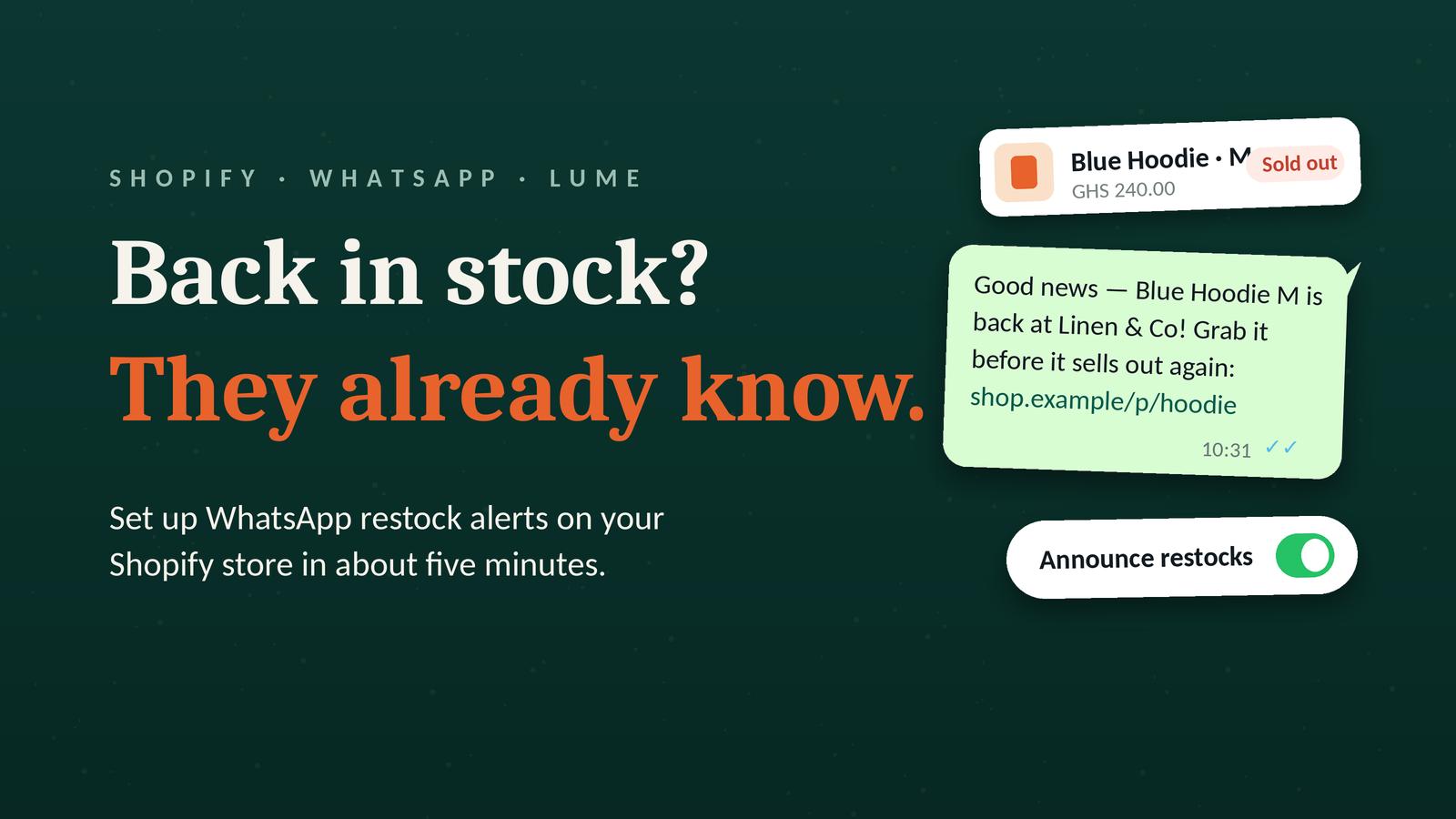
How to turn on back-in-stock notifications
When a product sells out, customers can tap a button on the product page to sign up for a WhatsApp alert. As soon as you restock, each of them gets one message with a link back to the product. Their phone number is deleted right after the message goes out.
Setup takes about five minutes and has two parts: switching the feature on in Lume and turning on the Lume embed in your theme.
Part 1: Turn on the feature in Lume
- From your Shopify admin, go to Apps and open Lume - WhatsApp Automation.
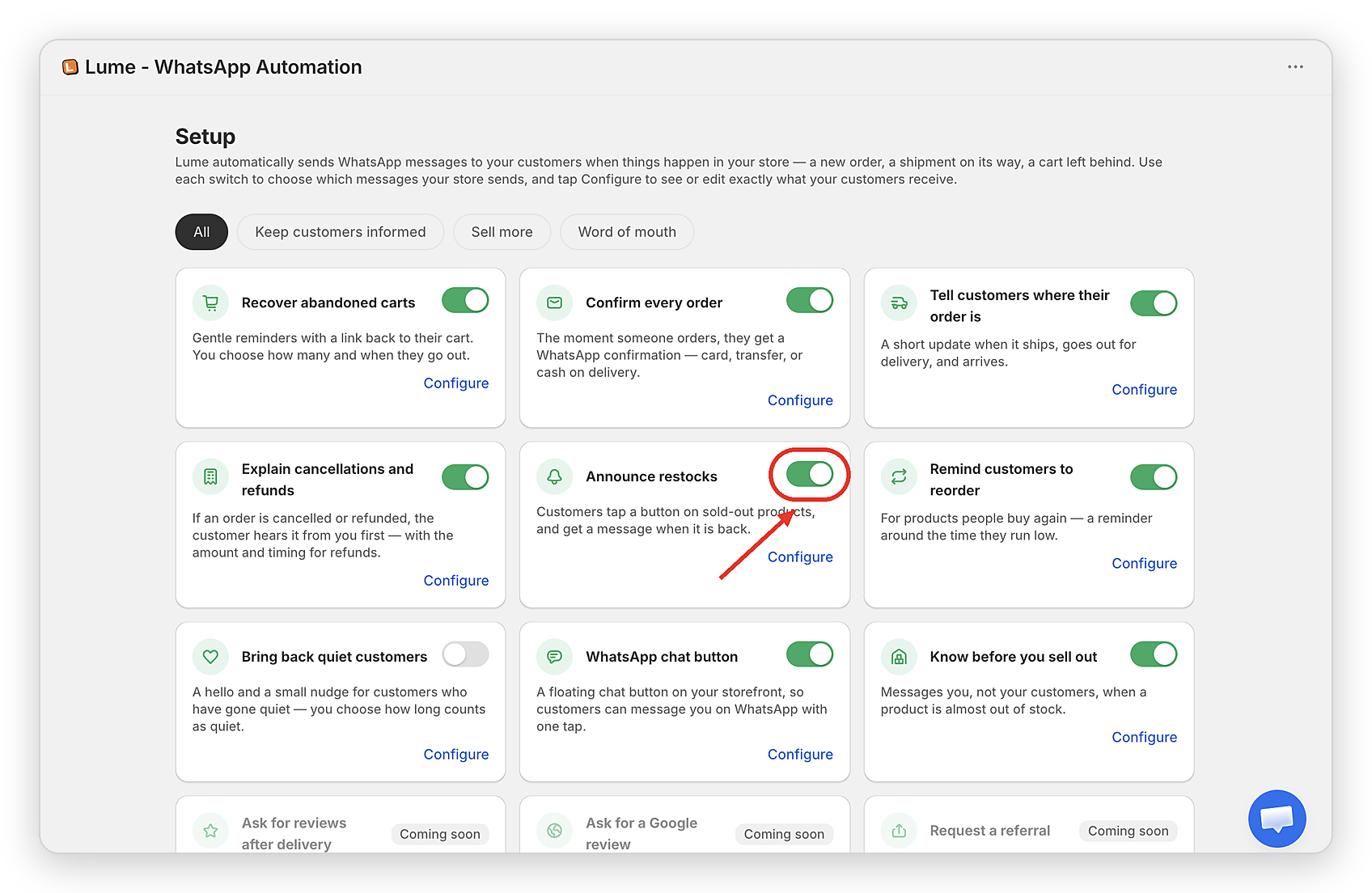
- On the Setup page, find the Announce restocks card and flip the toggle on.
- Tap Configure on the same card to open its settings.
Part 2: Turn on the embed in your theme
The sign-up button lives in your theme, so Shopify needs your permission to show it there. This is a one-time step.
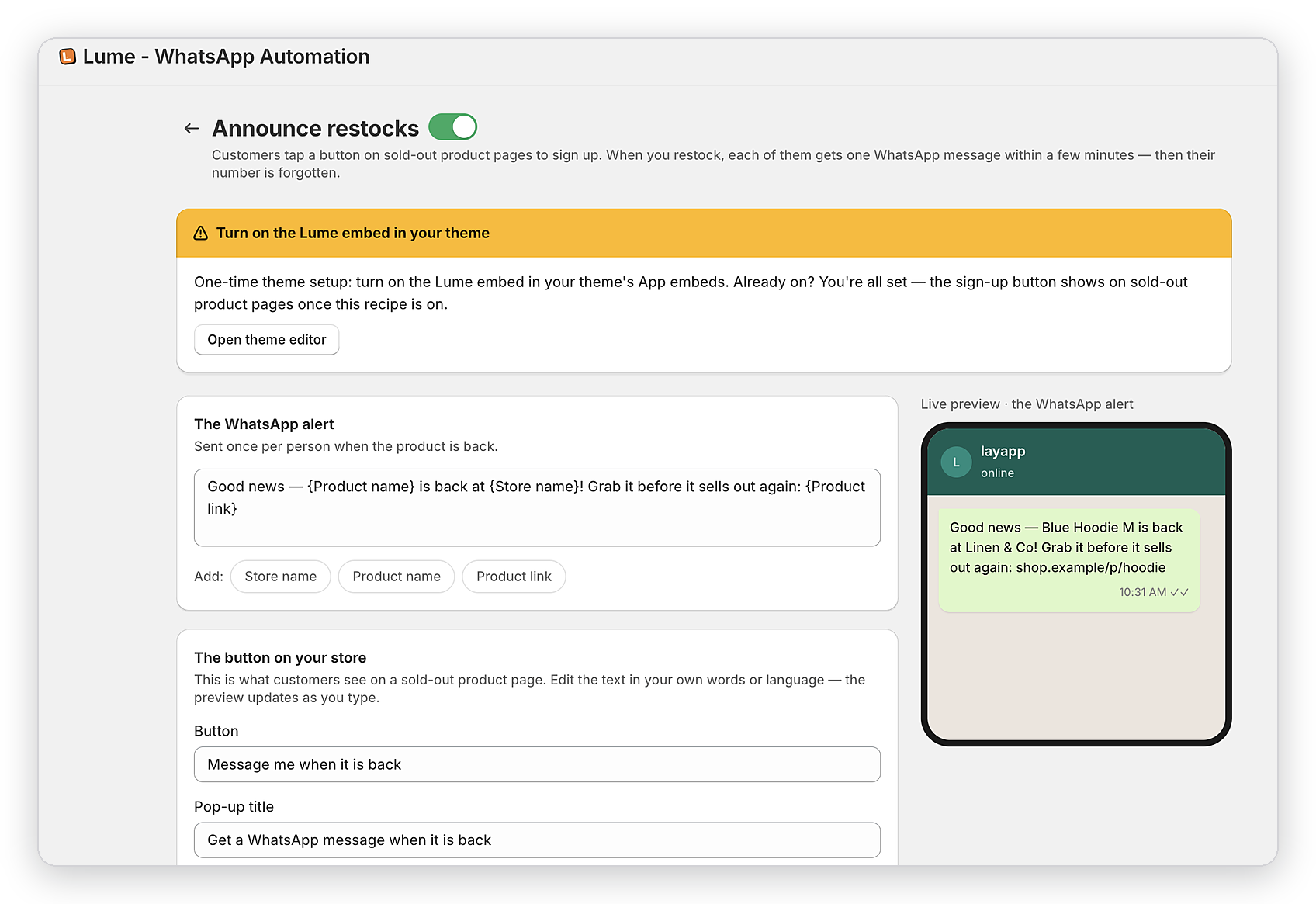
- On the Announce restocks settings page, you'll see a yellow banner that says "Turn on the Lume embed in your theme". Click Open theme editor.
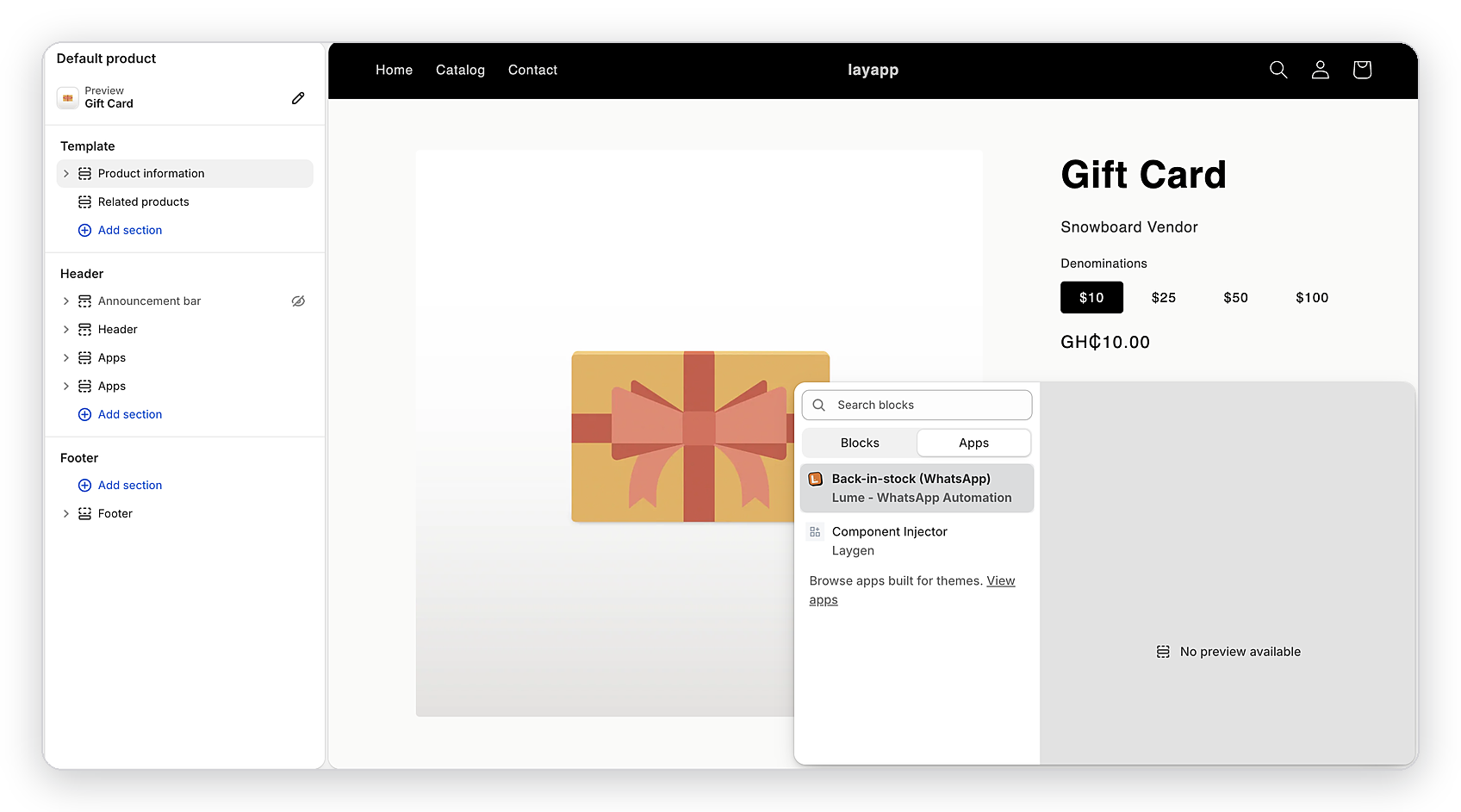
- In the theme editor, open your default product template, then click Add section (or Add block inside the product information section).
- Switch to the Apps tab in the picker and choose Back-in-stock (WhatsApp) by Lume.
- Click Save in the top right of the theme editor.
If the banner isn't showing when you open the settings page, the embed is already on and you can skip this part.
Customize what customers see
Back on the Announce restocks settings page, you can edit two things:
The WhatsApp alert. This is the message sent once per person when the product is back. The default reads: "Good news, {Product name} is back at {Store name}! Grab it before it sells out again: {Product link}". Use the Store name, Product name, and Product link chips below the text box to drop those details into your own wording. The live preview on the right shows exactly what the message will look like on a customer's phone.
The button on your store. This is what customers see on a sold-out product page. You can rewrite the button text (default: "Message me when it is back") and the pop-up title (default: "Get a WhatsApp message when it is back") in your own words or language. The preview updates as you type.
Test it
Set one product's inventory to zero, then open its page on your storefront. You should see the sign-up button where the "Add to cart" button normally sits. Sign up with your own number, restock the product, and the WhatsApp message should arrive within a few minutes.
Send your next order on WhatsApp.
Install Lume on Shopify or Wix. Live in two minutes. 14-day free trial, no card needed.
Start free trial →